English

COMPARE
English

Direct comparison

OneKey Pro vs OneKey Pro 2

OneKey Pro vs Pro 2: understand AMOLED, SeedCard and pre-order availability. Both offer QR signing; Pro also has documented SLIP39 support with compatible firmware.

What matters

Key differences to help you choose, without an overall score.

  1. OneKey Pro

    • If you want to check multi-chain transactions on a touchscreen and sign via QR codes when needed.
    • If open firmware matters to you and you deliberately plan for a larger device and several connection modes.
  2. OneKey Pro 2

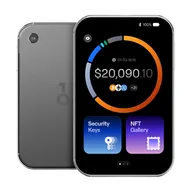
    • If you want to review multi-chain transactions on an AMOLED touchscreen and optionally sign through QR codes.
    • If you want to set up BIP39 or SLIP39 deliberately and consider SeedCard as an additional backup route.

Features

Differences2

Shared features11

Overview

Conclusion — Strengths, limitations and suitable uses. Your workflow and the functions it requires are what matter.

Editorial assessment

OneKey Pro and Pro 2 are hardware wallets that share the same basic approach: review transactions on the device, use keys there and choose USB, Bluetooth or QR for the workflow. Upgrading is therefore mainly a question of interaction and the backup method you want. This comparison analyses manufacturer documentation only.

Pro 2 focuses on an AMOLED display and the additional SeedCard concept. The existing Pro remains a touch device with QR signing. If Pro already works reliably for you, first identify the specific task the new device would improve. A new display does not automatically make existing keys more secure.

A blanket distinction on backups would be wrong: the changelog also lists SLIP39 for Pro since firmware 4.15.0. For both devices, check actual firmware, backup format, completeness and any additional passphrase. SeedCard adds a card-based route; it is not a promise of recovery on arbitrary devices from other manufacturers.

On 11 October 2026, Pro 2 is listed for pre-order from USD 299. The older Pro price in the feature table has an earlier source date and is not a current checkout offer. Find My, NFC passkeys and TOTP are announced for Pro 2; support also still describes portfolio sync as upcoming. Base a purchase decision on available functions and the confirmed final price.

OneKey Pro · OneKey Pro 2 · Setup and migration guide.
Compare alternatives

01

OneKey Pro

Pros

  • In comparison: reference price USD 278
  • Touchscreen for reviewing and confirming on the device
  • QR air-gapped signing as an additional path alongside USB and Bluetooth
  • Open-source firmware and client
  • Multi-chain support, including Solana, with compatible wallet apps

Cons

  • Larger form factor than the Nano X
  • SLIP39 supported on Pro since firmware 4.15.0; check the installed version
  • QR compatibility depends on the asset and wallet app used

more suitable if...

  • If you want to check multi-chain transactions on a touchscreen and sign via QR codes when needed.
  • If open firmware matters to you and you deliberately plan for a larger device and several connection modes.
02

OneKey Pro 2

Pros

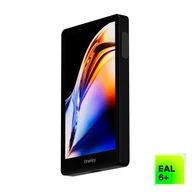
  • 3.54-inch AMOLED touchscreen and fingerprint sensor according to the manufacturer
  • QR air-gap alongside USB-C and Bluetooth
  • BIP39, SLIP39 and additional SeedCard backup documented
  • Open firmware and app stack according to OneKey

Cons

  • In comparison: higher reference price (USD 299)
  • Pre-order; check delivery timing and the final price at checkout
  • Find My, NFC passkeys and TOTP announced for future OTA updates
  • Support still describes portfolio sync as an upcoming feature
  • SeedCard is a manufacturer-specific backup method; check its PIN and compatibility

more suitable if...

  • If you want to review multi-chain transactions on an AMOLED touchscreen and optionally sign through QR codes.
  • If you want to set up BIP39 or SLIP39 deliberately and consider SeedCard as an additional backup route.

Sources & notes