English

COMPARE
English

Direct comparison

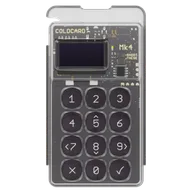
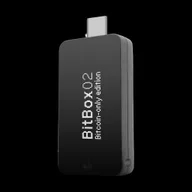
BitBox02 Bitcoin-only vs Coldcard Mk4

Bitcoin-only with USB app vs. air-gapped PSBT — BitBox02 open source without air-gap, Coldcard Mk4 offline-first.

What matters

Key differences to help you choose, without an overall score.

  1. BitBox02 Bitcoin-only

    • If you only want to manage Bitcoin on a desktop or Android device over USB.
    • If you prefer open Bitcoin firmware and a microSD backup and can do without iPhone signing.
  2. Coldcard Mk4

    • If you want to sign Bitcoin using PSBTs and microSD and learn a separate wallet workflow.
    • If you first check an existing device’s firmware and seed origin against Coinkite’s security advisory.

Features

Differences6

Shared features7

Overview

Conclusion — Strengths, limitations and suitable uses. Your workflow and the functions it requires are what matter.

Editorial assessment

BitBox02 Bitcoin-only and Coldcard Mk4 are restricted to Bitcoin. The key question is whether you want to sign over USB with a companion app or through a separate PSBT and microSD workflow. A USB connection does not mean the seed must leave the signer.

BitBox02 Bitcoin-only offers open firmware, BitBoxApp and microSD backup. It supports desktop and Android over USB; iPhone signing, Bluetooth and an air-gapped mode are absent.

Coldcard Mk4 suits PSBTs and a separate wallet client. Its firmware code is readable, but the licence includes a Commons Clause restriction. For an existing device, Coinkite’s advisory about affected older seeds matters: a firmware update alone does not repair those seeds.

The recorded EUR 149 and USD 177,94 do not form a final-price comparison without a common currency, shipping and taxes. Decide on your signing and backup workflow first, then compare actual offers.

PSBT means a partially signed Bitcoin transaction exchanged between wallet software and the hardware wallet. This additional step must suit your usage; it does not replace a correctly configured backup.
01

BitBox02 Bitcoin-only

Pros

  • Bitcoin-only firmware without additional chains
  • Open-source firmware and client
  • Secure Element with CC-EAL6+ manufacturer information
  • microSD backup and BIP39

Cons

  • No other chains except Bitcoin
  • No Bluetooth and no iOS support
  • No air gap workflow
  • Small monochrome display
  • No SLIP39

more suitable if...

  • If you only want to manage Bitcoin on a desktop or Android device over USB.
  • If you prefer open Bitcoin firmware and a microSD backup and can do without iPhone signing.
02

Coldcard Mk4

Pros

  • Air gap and PSBT workflows documented
  • Two Secure Elements according to the manufacturer's documentation
  • Limited to Bitcoin
  • NFC in addition to USB
  • Firmware code is publicly readable; its licence includes a Commons Clause restriction

Cons

  • Seeds generated by affected earlier firmware may be at risk; a firmware update does not repair existing seeds. Check Coinkite’s migration guidance.
  • No multi-chain support
  • No Bluetooth
  • Small monochrome display
  • PSBTs and separate wallet software require a deliberately configured workflow

more suitable if...

  • If you want to sign Bitcoin using PSBTs and microSD and learn a separate wallet workflow.
  • If you first check an existing device’s firmware and seed origin against Coinkite’s security advisory.

Sources & notes