English

COMPARE
English

Direct comparison

Keystone 3 Pro vs Trezor Safe 3

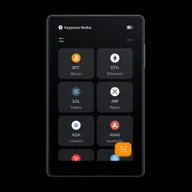
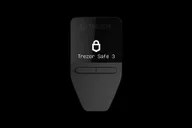
Air-gapped touch (Keystone 3 Pro, USD 129) vs. USB entry with monochrome display (Trezor Safe 3, EUR 79) — multi-asset for both.

What matters

Key differences to help you choose, without an overall score.

  1. Keystone 3 Pro

    • If you want to check multi-chain transactions on a touchscreen and sign via QR codes with compatible wallet apps.
    • If you prefer a separate air-gapped workflow and do not need Bluetooth.
  2. Trezor Safe 3

    • If you want to use open firmware and Trezor Suite through a wired connection.
    • If you want to set up a SLIP39 multi-share backup and can work with buttons and a small screen.

Features

Differences7

Shared features6

Overview

Conclusion — Strengths, limitations and suitable uses. Your workflow and the functions it requires are what matter.

Editorial assessment

Keystone 3 Pro and Trezor Safe 3 differ mainly in signing: Keystone uses touch and QR with compatible wallet apps; Safe 3 uses buttons and USB. Both document BIP39 and Shamir backup. The choice is therefore not simply between having a backup feature and lacking one.

Keystone 3 Pro suits a QR workflow with a larger touchscreen. The manufacturer lists mobile and desktop wallets. Check the combination of asset, firmware and app, as well as the format of any existing backup.

Trezor Safe 3 suits a wired workflow with Trezor Suite and open firmware. Its small monochrome screen and buttons replace touch controls; Bluetooth and QR air-gapped signing are absent. Full iPhone signing is not an established feature here.

USD 129 for Keystone and EUR 79 for Safe 3 are list prices in different currencies. A price decision requires a comparable final price including shipping and taxes.

For both hardware wallets, a documented backup feature does not confirm that your existing backup can simply be imported. Share count, format and passphrase must match.

01

Keystone 3 Pro

Pros

  • Air gap via QR and microSD
  • Touch display and battery
  • Multiple Secure Elements with CC-EAL5+ manufacturer information
  • Multi-chain including Solana
  • Fingerprint sensor and multi-seed
  • Shamir backup with multiple recovery shares is documented

Cons

  • Larger touchscreen device; no Bluetooth
  • A compatible wallet app is required for each asset; not every integration supports every feature
  • Check the backup format and firmware version before restoring

more suitable if...

  • If you want to check multi-chain transactions on a touchscreen and sign via QR codes with compatible wallet apps.
  • If you prefer a separate air-gapped workflow and do not need Bluetooth.
02

Trezor Safe 3

Pros

  • Open source firmware and Trezor Suite
  • Optiga Secure Element and CC-EAL6+ manufacturer information
  • SLIP39 multi-share in addition to BIP39
  • Multi-coin including Solana

Cons

  • ShipMonk breach: affected Trezor customers’ order data was exposed, increasing phishing risk. Trezor says devices and wallet keys were not affected.
  • No air gap
  • No Bluetooth; iOS only limited
  • Small monochrome display

more suitable if...

  • If you want to use open firmware and Trezor Suite through a wired connection.
  • If you want to set up a SLIP39 multi-share backup and can work with buttons and a small screen.

Sources & notes