Device
01- Form factor
- Other, USB
- Display
- Yes, touch
- Battery
- ✓
- Scope of delivery
- Keystone 3 Pro, USB-C cable, microSD, instructions.
View sources: device
- Keystone 3 Pro product pageForm factor · Display · Battery · Scope of delivery
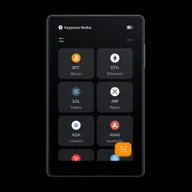 Illustration · not a product photo
Air-gapped touch signer with fingerprint sensor, multiple secure element claims and multi-chain support; Firmware only partially open source, desktop OS not supported.
As of: 10.10.2026
At a glance
Keystone 3 Pro combines a touchscreen with QR signing and several compatible wallet apps. The coins and functions available depend on the firmware and app. The manufacturer lists both mobile apps and desktop wallets such as Sparrow.
BIP39 and Shamir backup are documented. Before restoring, the backup format, required shares and firmware must match. A fingerprint sensor does not replace a recoverable backup.
The device suits a deliberately configured QR workflow. Before buying, check the specific combination of asset, wallet app and platform. It has no Bluetooth; the available USB connection does not establish support for every wallet app.
A larger screen provides space to review the recipient, amount and other transaction details. What matters is what the app actually displays and what you confirm on the device. A long asset list does not establish support for every transaction type or the same functions in all apps.
Opposite OneKey Pro Keystone shares the touch and QR approach but offers no Bluetooth. Its firmware is classified as partly open in the dataset. If you already use a particular wallet app, check its specific integration before choosing a hardware wallet by individual features.
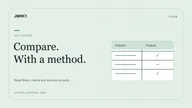
The Direct comparison ELLIPAL Titan 2.0 vs Keystone 3 Pro puts the two QR devices side by side. The feature table brings together connections, backups and list prices; the linked manufacturer sources explain each workflow.
Yes, with compatible wallets: Keystone lists Sparrow for Bitcoin on desktop, among others. Sparrow supports Windows, macOS and Linux. Support depends on the wallet app, asset and firmware; a dedicated desktop app from the device manufacturer is not required.
Yes according to the features: Air gap is provided. According to the features, Bluetooth and NFC are not provided.
Firmware according to its characteristics is partially open source (partial) - do not identify it as complete open source firmware. According to the characteristics, the client is open source (yes).
According to features: Bitcoin, Ethereum/EVM and Solana as well as iOS yes. Whether a single token or an app variant is suitable is stated in the features and manufacturer information - without a test winner claim.
You can also find the sources for individual information directly in the respective characteristics area.
Image source: Keystone — 3 Pro front UI still (owner-supplied) · Press photo · 2026-08-09