How to Choose a Hardware Wallet: An Interactive Guide
Seven questions for selecting a hardware wallet: define requirements, open suitable filters and then investigate unknown values.
In this guide

The assistant translates your hardware-wallet requirements into comparison filters. Answer seven questions about use and features, then review the resulting selection. If a question remains open, leave that requirement unset for now. The result is a starting point for comparing models; sources, backup compatibility and actual workflows still require review.
Further reading: Comparison table.
Questions
Seven answers become filters.
Result
A hit list, not an award.
This text
No purchase redirection, just classification.
Affiliate links (↗) may appear on product and comparison pages. Recording and sorting follow this Methodology, not the commission. There are no purchase redirects in this guide.
Getting started without an assistant: What is a Hardware Wallet? · Buying criteria · This is how you read the comparison.
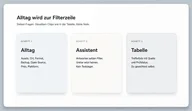
Unclear answers don't set a filter. That's intentional: It's better to read another column yourself than a narrow list that happens to be empty. After the last step you end up in the table - the source and check status remain visible there.
Filter Wizard
Seven short questions - at the end you open the comparison with your filters. No recommendation, no test winner.
Question 1 of 7
What assets do you need in the next 12 months?
The options correspond to the filters in the comparison table. “Ethereum / EVM” means: the device supports EVM — not “just Bitcoin plus Ethereum”.
Your filter path
Filter in the comparison table
Many filters can empty the hit list - then relax in comparison.
Apply in comparisonAccording to the assistant
In comparison, you check the rows that count for you - not all columns the same. Details: Read comparison and Methodology.
There are two topics before a purchase for classification purposes, not as instructions for action:
- Backup: If you can't explain seed phrase or manufacturer backup, you should go first Backup and seed phrase read.
- What the device protects: It protects the key, not every wrong decision. → What a hardware wallet really protects
Unranked brands: 4 Hardware Wallet Brands: An Overview for 2026.
What this assistant can do - and what it can't
Pros
- You weight yourself, instead of an artificial overall score (see Methodology).
- The answers set the same filters as in the comparison table.
- The assistant does not select any devices - the table remains the characteristics overview.
Cons
- Anyone who expects “the best device” gets a filter list, not a ranking.
- Very narrow filters can empty the hit list; this is not a quality judgment about the market.
- List prices mix euros and dollars without conversion - the upper limit is a rough bracket.
How your answers become comparison filters
Seven answers become the same filter chips as in the Comparison table. That's the whole mechanism. There is no grade, no score and no “device of the year”. The hit list is the set of rows that match your combination — sorted by product name, not commission.
Unclear answers don't set a filter. That's intentional: It's better to read another column yourself than a narrow list that happens to be empty. After the last step, the source and check status remain visible in the table. The assistant doesn't hide them.
What he doesn't do:
- It does not add backup, coins, connection and price to create a total rating. That would be Buying criteria as filters, not as stars.
- It doesn't replace This is how you read the comparison. A short list is not called “the best three.”
- It is not an investment or action recommendation. “Do I need a hardware wallet?” remains your classification - see FAQ below and What is a Hardware Wallet?.
Affiliate links can be on product and comparison pages. There is no purchase redirect in this guide. Recording and sorting follow this Methodology.
Pause the selection when questions remain
You can leave the assistant at any time or change individual answers later. This is particularly useful when an important prerequisite is unresolved. A precise requirement list is more useful than a random selection: investigate the open questions first, then return to the table with the information you need. The examples below show when pausing can help.
Useful terminations:
- Backup unclear. If you can't explain seed phrase or manufacturer backup, the next step is text Backup and seed phrase — not the shop. The device without backup is a single point failure.
- Protection radius unclear. If you expect the chip to prevent phishing or a false address, read first What a hardware wallet really protects. Otherwise you'll be buying a case for a problem that lies somewhere else.
- Empty hit list. The combination is too close. Loosen the filter is the table, not a second assistant with “recommend anyway”.
- No usage profile. If you don't know whether USB at the desk or air gap is the norm, you need one Buying criteria, not a random first line.
A paused selection is a documented intermediate result. Record the missing information, such as support for particular wallet software or the complete recovery path. Once the question is answered, apply the relevant filter again. The brand overview provides additional orientation on form factors; final checks remain specific to the model.
Further reading: The 4 hardware wallet brands at a glance.
The assistant does not save a “best answer”. If you weight things differently tomorrow - for example not Bluetooth, or Bitcoin-only instead of multi-coin - you will reset the filters in the table. There is no saved ranking to disappoint you. This is exactly what distinguishes the process from a test-winning article: you can cancel, relax or tighten up without an editorial team following suit.
Price limits in the wizard are rough brackets. Euro list price, otherwise dollars, without exchange rate. “Max. 150” is therefore not a converted EUR number and not a quality limit. Whoever sets the brackets is roughly filtering shop reality. If you leave them out, you read more lines. Both are permitted. None of these choose a device.
If after the wizard it is still unclear which column counts first, the next text is Buying criteria — not a second pass with the goal of forcing a model this time.
Aborting can also mean: You open the unfiltered table and read two lines yourself instead of answering seven questions. This is not a detour. The assistant is a translator, not a gate. If you already know the columns - Backup, Assets, Connection - you don't need the questions. If you don't know them, you can stop after the third question and What a hardware wallet really protects read before a filter chip falls.
List prices in euros and dollars without conversion remain a bracket. They do not replace shop availability or the question of whether you can explain the backup of the line. A cheap device without an understood fuse is not a bargain in this text; it is an open point.
The assistant does not select even if exactly one line remains. A hit line is the “fills your chips” amount, sorted by name. It is not an editorial selection. You can discard them and the unfiltered one Comparison table open. This is termination without a device — a valid ending.
Review your result list systematically
After using the assistant, record the selected requirements and open two suitable model profiles. Compare the same features: supported networks, operating system, backup method and information shown before signing. Mark details whose source or version does not match your intended workflow. These require investigation even if the device appears in the results.
If there are no matches, change one requirement at a time. This reveals which filter restricts the selection. Consider whether you are relaxing an essential prerequisite or a usability preference. For price limits, account for source currency and possible additional charges; final terms come from the specific offer.
FAQ
What does “Bitcoin Only” mean versus “Ethereum/EVM”?
“Bitcoin only” sets the filter Bitcoin-only: Bitcoin yes, Ethereum/Solana not. “Ethereum / EVM” requires EVM support — the features often include Bitcoin, but not as Bitcoin-only. Unclear does not set an asset filter.
Why is there no filter for Secure Element?
There is no separate filter chip for this in the comparison table. The feature is in the table for comparison - without making it an overall winner.
What is a seed phrase (BIP39)?
A word list (usually 12 or 24 words) that you can use to restore the wallet. SLIP39 shares this backup. Manufacturer backup follows the respective device. In detail: Backup and seed phrase.
What is air gapped?
The device remains without a permanent data connection in everyday life; Transactions go e.g. B. via QR or microSD. The filter is called “Air-Gapped” in the table.
Why a price limit for euros and dollars at the same time?
The comparison uses the Euro list price, otherwise the US dollar value - without exchange rate. “Max. 150” is therefore a rough bracket, not a converted EUR price.
What if “no products” remain after filtering?
Loosen filters in the comparison table (e.g. price or Bluetooth). An empty list means the combination is too close — not that the market is bad.
Is the result a recommendation from the editors?
No. These are the filters you chose - not an award and not your own practical test.
Do I need a hardware wallet?
This depends on custody and risk - this is not an investment or action recommendation. About the function: What is a Hardware Wallet?.
Not investment advice. No legal advice. Information about characteristics follows our product database and the sources mentioned.