English

COMPARE
English

Direct comparison

Trezor Safe 3 vs Trezor Safe 5

Two Trezor Safe models — Safe 3 monochrome/entry-level (EUR 79), Safe 5 Touch (EUR 169); both USB-only without Bluetooth.

What matters

Key differences to help you choose, without an overall score.

  1. Trezor Safe 3

    • If you want to use open firmware and Trezor Suite through a wired connection.
    • If you want to set up a SLIP39 multi-share backup and can work with buttons and a small screen.
  2. Trezor Safe 5

    • If you want to combine open firmware with touch controls in Trezor Suite.
    • If you want a SLIP39 multi-share backup and USB signing without requiring full iPhone signing.

Features

Differences2

Shared features11

Overview

Conclusion — Strengths, limitations and suitable uses. Your workflow and the functions it requires are what matter.

Editorial assessment

In this direct comparison, Trezor Safe 3 and Trezor Safe 5 are two hardware wallets from the same Trezor Safe line. Both are USB devices without Bluetooth and without NFC; Secure Element, open source firmware and SLIP39 backup are documented, air gap is missing in both. Multi-asset according to the catalog: Bitcoin, Ethereum/EVM and Solana. If you already use Trezor Suite, compare Entry versus Touch — not Ledger versus Trezor. The features table below separates display, operation and RRP; it does not replace a hands-on examination before purchase.

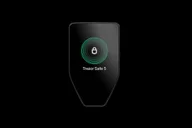
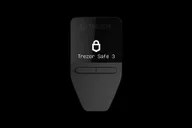
Trezor Safe 3 is the entry-level model: monochrome display, USB-only, limited iPhone signing according to the catalog. MSRP EUR 79 — the lower list price in this pair. Anyone who signs on a computer and prioritizes the cheaper entry will find the slimmer profile. Details: Trezor Safe 3.

Trezor Safe 5 adds a touch display with otherwise the same connection profile (USB, no Bluetooth, no NFC). Secure Element, open source firmware and SLIP39 remain; iPhone signing also limited. RRP EUR 169. Touch makes it easier to check addresses and amounts on the device, but does not change the USB signature philosophy. If you find Safe 3 too ascetic, compare Safe 5 - still Trezor Suite workflow, no air gap. More context: Trezor Safe 5.

There is no overall rating: Safe 3 for USB entry and lower RRP; Safe 5 for touch comfort within the same brand. The relative classification is derived from the catalog lines - without ranking.
01

Trezor Safe 3

Pros

  • In this comparison: RRP EUR 79
  • Open source firmware and Trezor Suite
  • Optiga Secure Element and CC-EAL6+ manufacturer information
  • SLIP39 multi-share in addition to BIP39
  • Multi-coin including Solana

Cons

  • ShipMonk breach: affected Trezor customers’ order data was exposed, increasing phishing risk. Trezor says devices and wallet keys were not affected.
  • No air gap
  • No Bluetooth; iOS only limited
  • Small monochrome display

more suitable if...

  • If you want to use open firmware and Trezor Suite through a wired connection.
  • If you want to set up a SLIP39 multi-share backup and can work with buttons and a small screen.
02

Trezor Safe 5

Pros

  • Touch display
  • Open-source firmware and client
  • Secure Element with CC-EAL6+ manufacturer information
  • SLIP39 Multi Share
  • Multi-coin support via Trezor Suite

Cons

  • In this comparison: Higher RRP (EUR 169)
  • ShipMonk breach: affected Trezor customers’ order data was exposed, increasing phishing risk. Trezor says devices and wallet keys were not affected.
  • No air gap
  • No Bluetooth; iOS only limited

more suitable if...

  • If you want to combine open firmware with touch controls in Trezor Suite.
  • If you want a SLIP39 multi-share backup and USB signing without requiring full iPhone signing.

Sources & notes