Bitcoin-only or multi-coin: which hardware wallet fits?
Compare bitcoin-only and multi-coin wallets: assess features, companion software, backups and future network needs without a blanket security verdict.
In this guide
Recording and sorting follow this Methodology: hardware wallets, not a commission. This text does not choose a test winner and does not replace your own practical test.
Bitcoin-only firmware limits supported functions to Bitcoin and any explicitly documented related applications. A smaller feature set may reduce software complexity but is not itself evidence of security. If other networks are needed later, you need a compatible signing route. A passphrase does not expand the device’s network support.
If you are still in the profile and want to translate questions into filters: How to Choose a Hardware Wallet: An Interactive Guide. This text does not repeat the wizard. He argues the asset decision that remains afterwards.
Thesis
Less firmware area — editorial, no lab testing.
Price
ETH/Solana later: second device or move.
Pool
Narrow pool — intentional, not ranking.
Pros/Cons of the smaller area
Pros
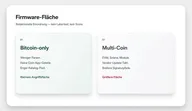
- Less firmware surface means less code that has to parse, display and sign transactions on foreign chains. This is an understandable software argument, not a seal of quality.
- You are not stuck with coin apps and vendor updates that “retrofit” a new chain.
- Recovery in this pool often runs through documented third-party and open source clients — the signer is not tied to a single vendor suite.
Cons
- The catalog pool is small. This is intentional, not a hidden ranking judgment.
- If ETH, an EVM token or Solana comes into your everyday scenario, a Bitcoin-only device will not accommodate this. Then you need a second device or a setup that you can explain.
- Smaller area does not protect against incorrect address, seed photo or fake support. That remains the limit What Does a Hardware Wallet Protect? Risks & Limits.
Distinguish feature scope from attack surface
A multi-coin firmware must understand addresses, decimals, memo fields and often smart contract data from multiple ecosystems. Each additional chain is additional code on the device or in the companion app, which may contain errors. Bitcoin-only firmware cuts these paths. Shift Crypto formulates this openly for the Bitcoin-only edition of BitBox02: less code, smaller attack surface, and according to the manufacturer, the edition cannot be subsequently reset to altcoin firmware. We quote that as Manufacturer argument, not as the bug density we measured.
In Hardware wallet comparison means Bitcoin-only: Bitcoin yes, Ethereum/EVM and Solana no. At Blockstream Jade and Jade Plus There is also Liquid - still no EVM line, still the narrow pool. BitBox02 Bitcoin-only, Coldcard Mk4 and Foundation Passport Only BTC is included in the features.
What this doesn't prove: that a specific Bitcoin-only device is "safer" than a specific multi-device. Open source firmware, secure element information, display and delivery route remain separate lines. The Methodology: hardware wallets does not derive security from a single characteristic. Smaller area is a filter criterion for people who don't need the other chains - not a replacement for them How to Choose a Hardware Wallet: Key Buying Criteria.
Blind signing on a multi-device with a touch display can be riskier in practice than a monochrome Bitcoin-only display that only shows Satoshi and an address. This is classification again, not hands-on. Anyone who wants to sign contracts on EVM needs readable data or must consciously accept blind signing. If you don't want that, you shouldn't open the area in the first place.
Bitcoin-only still requires software maintenance
Many multi-coin devices add support for individual assets as an app or as a firmware module. New tokens, new fee markets, new signature types will then come via a manufacturer update. This is convenient as long as the vendor delivers — and a dependency as soon as it prioritizes, delays or abandons an ecosystem.
Bitcoin-only devices still need maintained firmware and compatible companion software. Limited functionality may avoid some additional processing paths, but it does not eliminate software flaws or manufacturer dependencies. Review updates, supported clients and recovery as carefully as for multi-coin devices. Fewer supported networks represent a product choice, rather than evidence of overall security superiority.
Contrast, not winner list: Trezor Safe 3 (Trezor Safe 3: Open source USB wallet) and Ledger Nano S Plus lead in the features Ethereum/EVM and Solana. Ledger describes the breadth across apps; Trezor about the open suite. Both are different contracts with the manufacturer than hard-wired Bitcoin firmware. If you want the width, you pay for it in terms of area. If you don’t want them, you shouldn’t carry them around “for later.”
Recovery often outside the manufacturer suite
In the documented Bitcoin-only pool, the signer is often a device and the client is often interchangeable. This is stated in the manufacturer and client documentation — we have not performed a restore for each model ourselves.
- BitBox02 Bitcoin-only: BitBox documents the connection with Sparrow and Electrum; recovery via BIP39 words or microSD is available in support. The Bitcoin-only page lists BitBoxApp, Electrum, Sparrow, Specter and Wasabi as supported Bitcoin wallets.
- Blockstream Jade / Jade Plus: Blockstream describes Restore a 12 or 24 word phrase — even from other devices — and its own instructions “Use Jade with Sparrow”.
- Coldcard Mk4: Coinkite documents USB and air gap paths with Electrum and Sparrow, including exporting wallet skeletons to microSD.
- Foundation Passport: Foundation presents Envoy as an optional companion and describes Sparrow as a desktop counterpart. The backup documentation explicitly states: BIP39 words can be imported into any compatible hardware or software wallet.
The examples show different combinations of manufacturer apps, independent wallet software and connection routes. Check which applications the specific model supports and how recovery works. Freedom to choose software does not establish a general security guarantee. In particular, entering a backup on a networked computer changes the existing protection model.
Further reading: Hardware Wallet Seed Phrase Backup: BIP39 & SLIP39.
According to the characteristics, SLIP39 is not in this pool. If you want Shamir shares, you can find them in other lines — such as the Trezor Safe 3 — not as a secret extra on the Bitcoin-only list.
When other networks become relevant later
A later need for Ethereum, stablecoins or other networks changes your requirements. First check whether the existing model documents support for the intended use. An additional passphrase or account does not add network support. These features separate access or accounts within existing capabilities; missing signing support remains a device limitation. Assess the following options separately for compatibility and recovery effort.
Three ways out, none of which are recommended by the editors:
- Additional device: A compatible multi-coin device can handle the new use case. Document whether it uses the same wallet or new key material. The number of devices does not establish the number of independent backups.
- Select a compatible model: Check the network, asset and required companion software together. New accounts and passphrases do not replace this support.
- Transfer holdings: Moving to new key material involves fees and address verification. Back up the new access method before using it for holdings.
Do not rely on later expansion for editions permanently restricted to Bitcoin. BitBox, for example, describes its bitcoin-only edition as fixed accordingly. Other manufacturers may offer different firmware variants. Check the exact edition before purchase and distinguish a documented switch from an expected future feature.
If you're unsure whether the next twelve months are really just Bitcoin, that's a profile problem. That's what the decision tree is for - not this text.
The pool is small — and that's okay
Five devices support the thesis here, not because they win, but because this is what the market will look like once EVM and Solana are eliminated. Keywords like “bitcoin only wallet” lead exactly to this short list.
| Device | Catalog short profile (access 2026-08-15) |
|---|---|
| BitBox02 Bitcoin-only | USB, open source, secure element as stated, BIP39 plus microSD, no iOS, no air gap, RRP EUR 149 |
| Blockstream Jade | USB and Bluetooth, open source, iOS, no SE, no air gap, Bitcoin and Liquid, MSRP USD 79 |
| Blockstream Jade Plus | like Jade plus battery and QR/camera air gap, MSRP USD 149 |
| Coldcard Mk4 | USB and NFC, open source, air gap/PSBT documented, two SE according to the manufacturer, iOS, RRP USD 177.94 |
| Foundation Passport | Air gap through microSD and QR; assess desktop use through compatible wallet software separately; historical RRP USD 199 |
You can find the current pool in Hardware wallet comparison via the filter Bitcoin only — that is the search, not the thesis of this text. How to read table and “unknown”: How to Read Our Hardware Wallet Comparison.
A narrower offering may limit your choice of form factor, price and workflow. Check the actual combination of device and wallet software. A missing operating-system entry in the catalog does not establish that a device connected through QR or microSD is fundamentally unusable with that system. Direct USB support and use through compatible desktop software require separate assessment.
Example paths (no ranking)
Each path is one illustration along documented characteristics. Other catalog devices may fit. Check the feature status against the product pages and the catalog filter.
Path A — Bitcoin-only, USB everyday, desktop first
Sketch: Signer at the desk, no EVM line, recovery via BIP39 and a documented desktop client.
Example: BitBox02 Bitcoin-only · Blockstream Jade
Not included: iPhone signing at BitBox02 (iOS no). Jade comes with Bluetooth and iOS, but no secure element in the features.
Path B — Bitcoin-only, air-gap tolerant
Sketch: Additional steps via QR or microSD are acceptable; Multi-chain is not a must.
Example: Blockstream Jade Plus · Coldcard Mk4 · Foundation Passport
Check compatibility: Each model has documented connection routes and supported wallet software. Operating-system entries alone do not fully describe an air-gap workflow.
Path C — Contrast Multi-Coin, deliberately larger area
Sketch: Ethereum/EVM and Solana are said to be on the same device. The area is the price, not an error in the table.
Example: Trezor Safe 3 (Trezor Safe 3: Open source USB wallet) · Ledger Nano S Plus
Open source firmware yes with Trezor, no with Ledger — that remains its own line, not an overall winner.
What the smaller area doesn't buy
The chip holds the key. He does not check whether the address on the display belongs to a fraud story. Social engineering, seeds in the chat, blind OK in the companion app — these survive any firmware diet. Therefore heard What Does a Hardware Wallet Protect? Risks & Limits before the purchase, not as an afterthought.
A backup must cover the complete recovery route. For BIP39, this includes the correct word sequence and any passphrase used. Anyone possessing that complete information may also gain access under suitable conditions. The device does not protect an exposed backup; secure storage therefore matters independently of firmware choice.
An example of changing requirements
You currently use only Bitcoin and later want to use a particular EVM network. First check support for that network and its software. Then consider whether an additional compatible device or another documented access method is needed. Account separation or a passphrase does not answer the compatibility question.
If you use two devices, document whether they manage the same wallet or different wallets. Two devices do not automatically mean two independent backups. Key derivation, passphrases and backup methods determine that distinction. Moving to new key material also involves network fees and receiving-address verification.
Frequently asked questions
Is smaller firmware automatically safer?
No. It's a software argument: less code, fewer parsers, fewer vendor modules. It does not replace an audit, a delivery route check or your own handling of the backup. We didn't measure this in the lab against multi-firmware.
Can I convert a Bitcoin-only device to Multi later?
As a rule, no. With the BitBox02 Bitcoin-only edition, the manufacturer expressly says that the firmware is hard-wired. Other devices in this pool are also cataloged as Bitcoin-only, not sleeping multi-devices.
Is open source firmware enough evidence?
No. Openness makes testing possible. The table says yes, partial or no - with source, without laboratory evaluation by us. All five devices in this pool run open source firmware as yes. This makes them comparable, not identical.
What if I need Ethereum in two years?
Check a device or signing route that supports the desired network and asset. A new account or passphrase on a Bitcoin-only device does not add that support. A device change also requires preparation for recovery and any transfer of holdings.
Is the small pool a disadvantage?
Only if you confuse choice with quality. The consequence of the area is small. Five documented devices are enough to compare form factor, air gap, iOS and backup - without a test winner.
Does Bitcoin-only replace backup?
No. The toughest question remains: Can you still explain the restoration in five years? If not, the firmware discussion is early.
Is Bitcoin-only a security feature or just scope?
Scope. The filter is: Bitcoin yes, Ethereum/EVM and Solana no. Smaller firmware area is a software argument, not a seal of quality and not a replacement for backup, delivery route or display check. The Methodology: hardware wallets does not derive security from a single characteristic.
What does the Ethereum line mean in the comparison table?
Whether the device can sign Ethereum/EVM — yes or no, as a documented feature. Bitcoin-only lines there are set to no. This is not a ranking or an indication that multi-devices are less secure. If you want EVM, filter the column; If you don't want it, let it.
Is Liquid at Jade already a multi-coin?
Blockstream Jade and Jade Plus stay in the Bitcoin-only pool: Bitcoin plus Liquid, no EVM line. Liquid is a different network than Ethereum. Anyone who needs EVM or Solana is still in the multi-path.
Crypto assets are subject to high risks, including total loss. Not investment, tax or legal advice. Characteristics information follows catalog and mentioned sources - status 2026-08-15.