English

COMPARE
English

Product comparison

Compare hardware wallets

Compare supported coins, backup options and connectivity. Find hardware wallets that work with your phone or computer.

Open comparison Criteria and sources
Products in the catalogue
26
Criteria in the dataset
13
Scoring
No overall score

Your comparison

Buying criteria

Choose wallets or start with a preset.

Presets
Reference
Selects a selected product as the first comparison column. Menu opens down.
Filters
Quickly
Operating systems
Backup
Security & Assets
Max. RRPAny

Selected products26 products shown
How to use this comparison

A preset replaces your selected products. Filters hide products that do not match while keeping them in your selection.

Your reference stays in the first column. Scroll sideways to see more products. Share the page URL to keep your selection, filters and sorting.

Hardware wallets at a glance

Six devices from the catalogue, listed alphabetically. Compare form factor, connectivity and supported platforms.

Compare the full catalogue
Catalogue examples with documented features. No ranking.
productForm factorConnectivityPlatforms
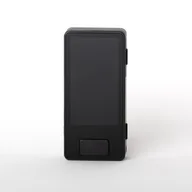
BitBox02 MultiUSB deviceUSBWindows · macOS · Linux · Android
Blockstream JadeUSB deviceUSB BluetoothWindows · macOS · Linux · iOS · Android
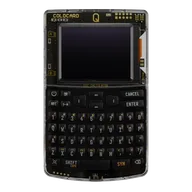
Coldcard QOtherUSB · NFCWindows · macOS · Linux · iOS · Android
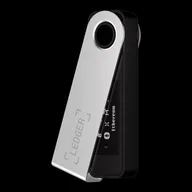
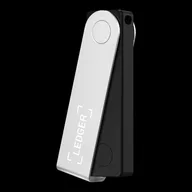
Ledger Nano S PlusUSB deviceUSBWindows · macOS · Linux · Android
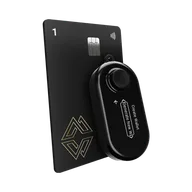
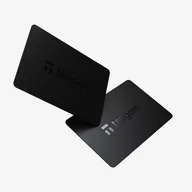
Tangem WalletCardNFCiOS · Android
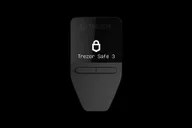
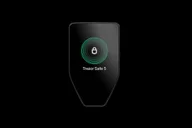
Trezor Safe 3USB deviceUSBWindows · macOS · Linux · Android

Examples, not a ranking. See each product profile for full details, limitations and sources. Criteria and sources

Overview

1. Sign with your smartphone

An app for viewing accounts does not confirm a signing workflow. Check iPhone signing or Android support together with the connection and compatible app. The iOS filter shows full iPhone signing only; limited support is insufficient.

3. Know your configured backup

BIP39 words, SLIP39 shares, microSD and backup cards have different requirements. Yes in the table means a format is supported; it does not confirm your configured backup. Check the format, required shares and any additional passphrase you use.

Comparison data and sources as a table or CSV

This is how you find a suitable device

  • 01

    Select Bitcoin-only deliberately

    The Bitcoin-only filter shows devices whose EVM and Solana rows say No. Then check your signing workflow and backup: a Bitcoin device may use USB, Bluetooth or a QR mode. Check the specific connection rows together with smartphone support. This selection does not confirm support for other networks or apps.

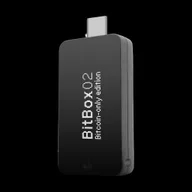
    ExamplesBitBox02 Bitcoin-onlyBlockstream JadeBlockstream Jade Plus

    Bitcoin-only comparison

  • 02

    Check your setup before buying

    First establish your coins, phone or computer, and backup. Selecting by price does not replace these three questions. A Trezor backup may be SLIP39 even when BIP39 is also supported. Tangem can be backed up without a seed phrase using additional cards. Supported formats in the table do not confirm which backup you chose during setup.

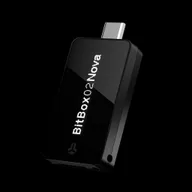
    ExamplesBitBox NovaTrezor Safe 3Tangem Wallet

    Questions in the decision tree

  • 03

    Check coins and networks together

    The EVM and Solana selection requires both documented asset features. Then check the specific coin, network and app in the product profile and with the manufacturer. Many supported assets confirm neither every app nor the same mobile signing workflow. Connection and backup remain additional decisions, including for a multi-coin wallet.

    ExamplesLedger FlexTrezor Safe 7Ledger Nano X

    EVM and Solana in comparison

  • 04

    Actually sign on your iPhone

    With Trezor Safe 3 and Safe 5, the iPhone app supports viewing accounts but not signing. Safe 7 supports Bluetooth signing. BitBox Nova also uses Bluetooth on iPhone; USB-C alone is insufficient. The iOS filter excludes limited and unknown support. Before selecting a device, also check the current app and its system requirements.

    ExamplesBitBox NovaTrezor Safe 7

    iOS in comparison

  • 05

    When the connection or backup does not fit

    Ledger Nano S Plus supports desktop and Android over USB, but not iOS. The Jade Plus QR mode is limited to Bitcoin; Liquid is not supported through it. Backup format matters: SLIP39 requires enough shares from the same backup to meet the configured threshold. BitBox offers a microSD backup. Seedless Tangem recovery depends on a remaining backup card; after losing all cards, there is no recovery through a word list.

    ExamplesLedger Nano S PlusJade PlusTangem Wallet

    This is how you read the comparison

Frequently asked questions

What is a Hardware Wallet?

A hardware wallet protects private keys and confirms transactions on the device. The app displays accounts and prepares transactions. The backup may consist of words, SLIP39 shares or a vendor-specific method; not every setup has a seed phrase.

Which hardware wallet is the best?

The right fit depends on your coins, actual signing workflow and backup. Check these requirements together. The table shows documented features and sorts by name or list price; it gives no overall score. Examples and presets do not replace checking your setup.

Which hardware wallet is suitable for beginners?

A supported signing workflow and a backup whose recovery you can explain are helpful. BIP39 support alone does not confirm the backup you selected. Use the decision tree to check coins, connection and backup, then the limitations and sources for the specific model.

Which hardware wallet is good for Bitcoin?

Almost all cataloged devices support Bitcoin. Bitcoin-only means: EVM and Solana lines are set to no — a deliberate product limit. Filter “Bitcoin-only” only shows these models, e.g. B. BitBox02 Bitcoin-only, Blockstream Jade and Jade Plus.

Do I need a hardware wallet for small amounts?

That depends on whether you want self-custody and can reliably protect your configured backup. A small balance does not remove this responsibility. A hardware device replaces neither safe storage of the backup nor checking a transaction.

Does a hardware wallet work with the iPhone?

An iPhone app may be limited to account viewing; the table calls this limited. Trezor Safe 3 and Safe 5 cannot sign transactions through it; Safe 7 supports Bluetooth signing. The iOS filter shows full iPhone signing only. Also check the app, connection and system requirements of your chosen model.

Does commission affect ranking?

No. Inclusion and sorting follow the methodology, not the commission. Shop buttons may be affiliate links and are marked as such.

What happens if I lose device or seed phrase?

If you lose the device, you need the correct complete backup and, if applicable, your additional passphrase. SLIP39 needs enough shares to meet the configured threshold. Seedless Tangem needs a remaining backup card. A PIN or access code does not replace the wallet backup. The guide distinguishes device loss, backup loss and exposed backups.

Does a hardware wallet have to be open source?

Open source firmware or client is a documented feature, not a quality ranking. If you want open source, filter in the table.

Direct comparisons

Curated head-to-head pages — features side by side, without automatic winner scoring.

List of direct comparisons

Curated head-to-head comparisons in this category
No.ComparisonShort descriptionAction
01Ledger Nano S Plus vs Trezor Safe 3Two entry-level devices with a USB focus — differences in ecosystem, open source client and secure element information.View
02Ledger Nano X vs Trezor Safe 5Mobile devices with a display - Bluetooth, touch and firmware openness in direct comparison.View
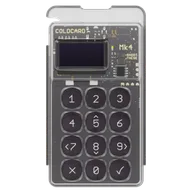
03BitBox02 Multi vs Coldcard Mk4Open source focused multi-coin device vs. Bitcoin/air gap focused device.View
04BitBox02 Multi vs. Ledger Nano S Plus vs. Trezor Safe 3Three entry-level and open source-related profiles next to each other - without automatic winner ranking.View
05Trezor Safe 3 vs Trezor Safe 5Two Trezor Safe models — Safe 3 monochrome/entry-level (EUR 79), Safe 5 Touch (EUR 169); both USB-only without Bluetooth.View
06Trezor Safe 5 vs Trezor Safe 7Two Trezor Touch models — Safe 5 USB only, Safe 7 with Bluetooth and higher MSRP (169 vs. EUR 249).View
07Ledger Flex vs Ledger StaxTwo Ledger premium touch devices — same connection (USB · BT · NFC), RRP 249 vs. EUR 399, no open source firmware catch.View
08Coldcard Mk4 vs Coldcard QTwo Coinkite Air Gap Wallets — Mk4 monochrome/USB, Q with color display and keyboard; both Bitcoin-only according to the catalog.View
09ELLIPAL Titan 2.0 vs. Keystone 3 ProTwo air gap touch alternatives — Titan 2 QR-only without cable, Keystone 3 Pro with USB (MSRP 149 vs. USD 129).View
10Keystone 3 Pro vs Trezor Safe 3Air-gapped touch (Keystone 3 Pro, USD 129) vs. USB entry with monochrome display (Trezor Safe 3, EUR 79) — multi-asset for both.View
11BitBox02 Bitcoin-only vs. Coldcard Mk4Bitcoin-only with USB app vs. air-gapped PSBT — BitBox02 open source without air-gap, Coldcard Mk4 offline-first.View
12Ledger Nano X vs OneKey ProEstablished Nano X (EUR 99, BT, monochrome) vs. OneKey Pro (touch, air-gap, open source firmware).View
13OneKey Pro vs. OneKey Pro 2OneKey Pro vs Pro 2: understand AMOLED, SeedCard and pre-order availability. Both offer QR signing; Pro also has documented SLIP39 support with compatible firmware.View

View all comparisons